-
.

Plugins

Plugins are small task oriented extensions that enhance the Joomla! framework. Some are associated with particular extensions and others, such as editors, are used across all of Joomla. Most beginning users do not need to change any of the plugins that install with Joomla. Help

REQUERIMIENTOS


  • Lugar para cambios de vestuarios cercano al foro
  • Equipo de sonido para reproducir mp3 con bluetooth
  • Iluminación
  • Espacio techado de preferencia
  • Tarima o espacio amplio en promedio de 6 * 6
  • Agua y frutas para rehidratación
  • Estacionamiento para vehiculo


The search component uses plugins to control which parts of your Joomla! site are searched. You may choose to turn off some areas to improve performance or for other reasons. Many third party Joomla! extensions have search plugins that extend where search takes place.

Default On:


Reconocimientos en giras internacionales

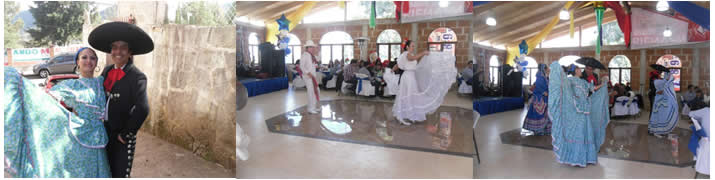
Hemos representado a México en giras internacionales como el festival en Colombia en la ciudad de Coyaima - Tolima en 2012, el festival Quintero une fronteras en la ciudad de Quintero Valparaíso Chile en 2016, en el festival internacional “El sabor de mi pueblo sangre Tica, en la ciudad de Alajuela Costa Rica en 2016, festival internacional  “Verano Negro” en Chincha Perú, en  febrero 2019


System plugins operate every time a page on your site loads. They control such things as your URLS, whether users can check a "remember me" box on the login module, and whether caching is enabled. New is the redirect plugin that together with the redirect component will assist you in managing changes in URLs.

Default on:

Default off:

The authentication plugins operate when users login to your site or administrator. The Joomla! authentication plugin is in operation by default but you can enable Gmail or LDAP or install a plugin for a different system. An example is included that may be used to create a new authentication plugin.

Default on:

Default off:

Default on:

Default off:

Two new plugins are available but are disabled by default.

  • Contact Creator Help
    Creates a new linked contact record for each new user created.
  • Profile Help
    This example profile plugin allows you to insert additional fields into user registration and profile display. This is intended as an example of the types of extensions to the profile you might want to create.

Editors are used thoughout Joomla! where content is created. TinyMCE is the default choice in most locations although CodeMirror is used in the template manager. No Editor provides a text box for html content.

Default on:

Default off:

  • None